Vietnamese Typing Guide
Funput is a system-wide Vietnamese keyboard for iPhone and iPad. It supports the two most common Vietnamese input methods: VNI, which uses number keys, and Telex, which uses letter combinations.
No account, login, purchase, subscription, sample file, or network service is required. To test Funput, first enable the keyboard on iOS, then open a normal text field in an app such as Apple Notes.
To change the input method, open Funput → Settings → Keyboard → Input method, select VNI or Telex, and return to the test text field. The selected method is applied to the Funput keyboard.
VNI input
VNI uses number keys to create Vietnamese letters and tone marks. Funput always displays the number row when VNI is selected.
VNI key map
| Key | Function | Example |
|---|---|---|
1 | Acute tone (sắc) | a1 → á |
2 | Grave tone (huyền) | a2 → à |
3 | Hook above (hỏi) | a3 → ả |
4 | Tilde tone (ngã) | a4 → ã |
5 | Dot below (nặng) | a5 → ạ |
6 | Circumflex: â, ê, ô | a6 → â, e6 → ê, o6 → ô |
7 | Horn: ơ, ư | o7 → ơ, u7 → ư |
8 | Breve: ă | a8 → ă |
9 | Stroked d: đ | d9 → đ |
0 | Remove the tone mark | á0 → a |
VNI test examples
| Type | Expected output | Meaning |
|---|---|---|
To6i | Tôi | I/me |
tie61ng | tiếng | language/sound |
Vie65t | Việt | Vietnamese/Viet |
d9u7o7ng2 | đường | road |
ngu7o7i2 | người | person |
Recommended full-sentence test:
Type:     To6i ye6u tie61ng Vie65t.
Expected: Tôi yêu tiếng Việt.
Meaning:  I love Vietnamese.
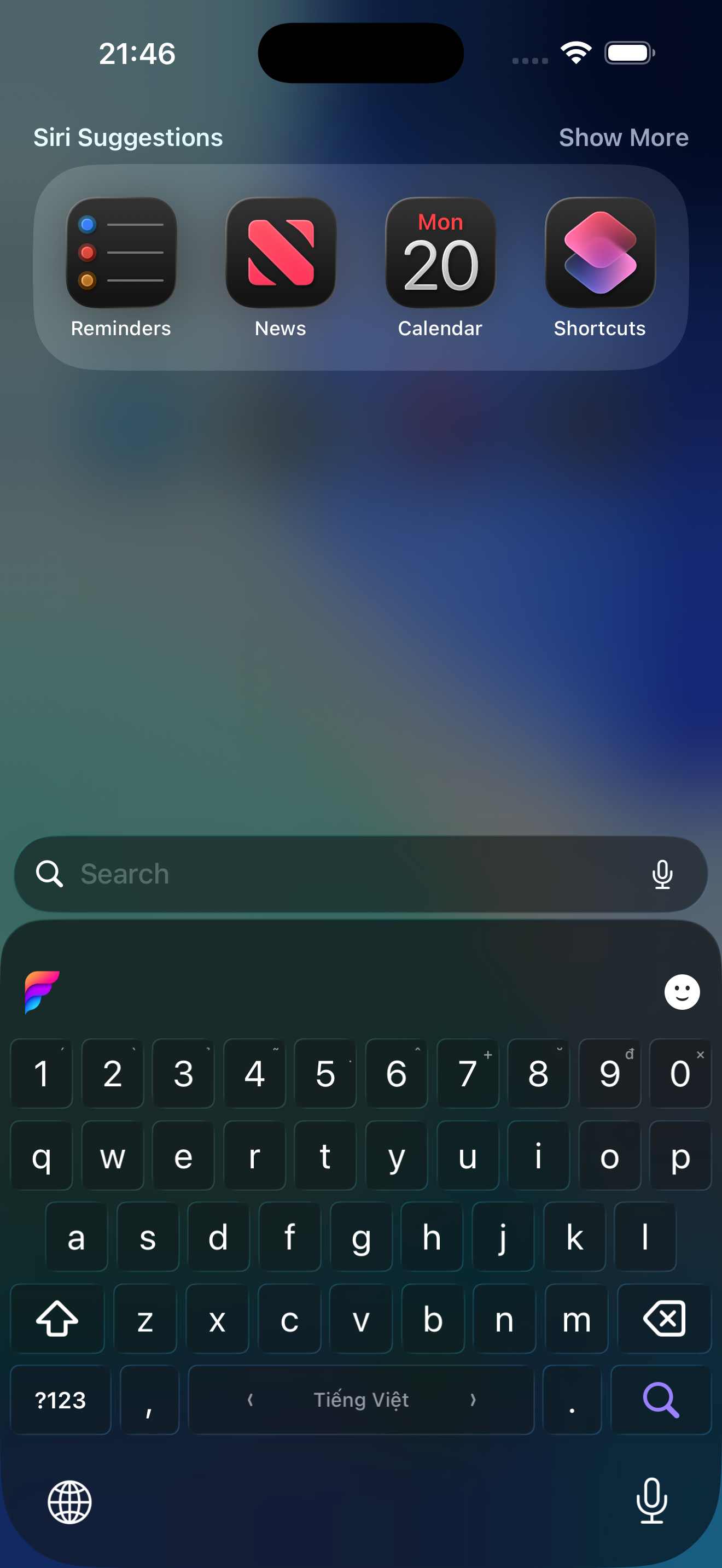
Funput in VNI mode. The number row is always visible.
Telex input
Telex uses letters to add Vietnamese diacritics and does not require the number row. The optional number row can be enabled under Settings → Keyboard → Number row.
Telex tone keys
| Key | Tone | Example |
|---|---|---|
s | Acute (sắc) | as → á |
f | Grave (huyền) | af → à |
r | Hook above (hỏi) | ar → ả |
x | Tilde (ngã) | ax → ã |
j | Dot below (nặng) | aj → ạ |
z | Remove the tone mark | asz → a |
Telex letter combinations
| Type | Output |
|---|---|
aa | â |
aw | ă |
ee | ê |
oo | ô |
ow | ơ |
uw | ư |
dd | đ |
Telex test examples
| Type | Expected output | Meaning |
|---|---|---|
Tooi | Tôi | I/me |
tieengs | tiếng | language/sound |
Vieetj | Việt | Vietnamese/Viet |
dduwowngf | đường | road |
nguwowif | người | person |
Recommended full-sentence test:
Type:     Tooi yeeu tieengs Vieetj.
Expected: Tôi yêu tiếng Việt.
Meaning:  I love Vietnamese.
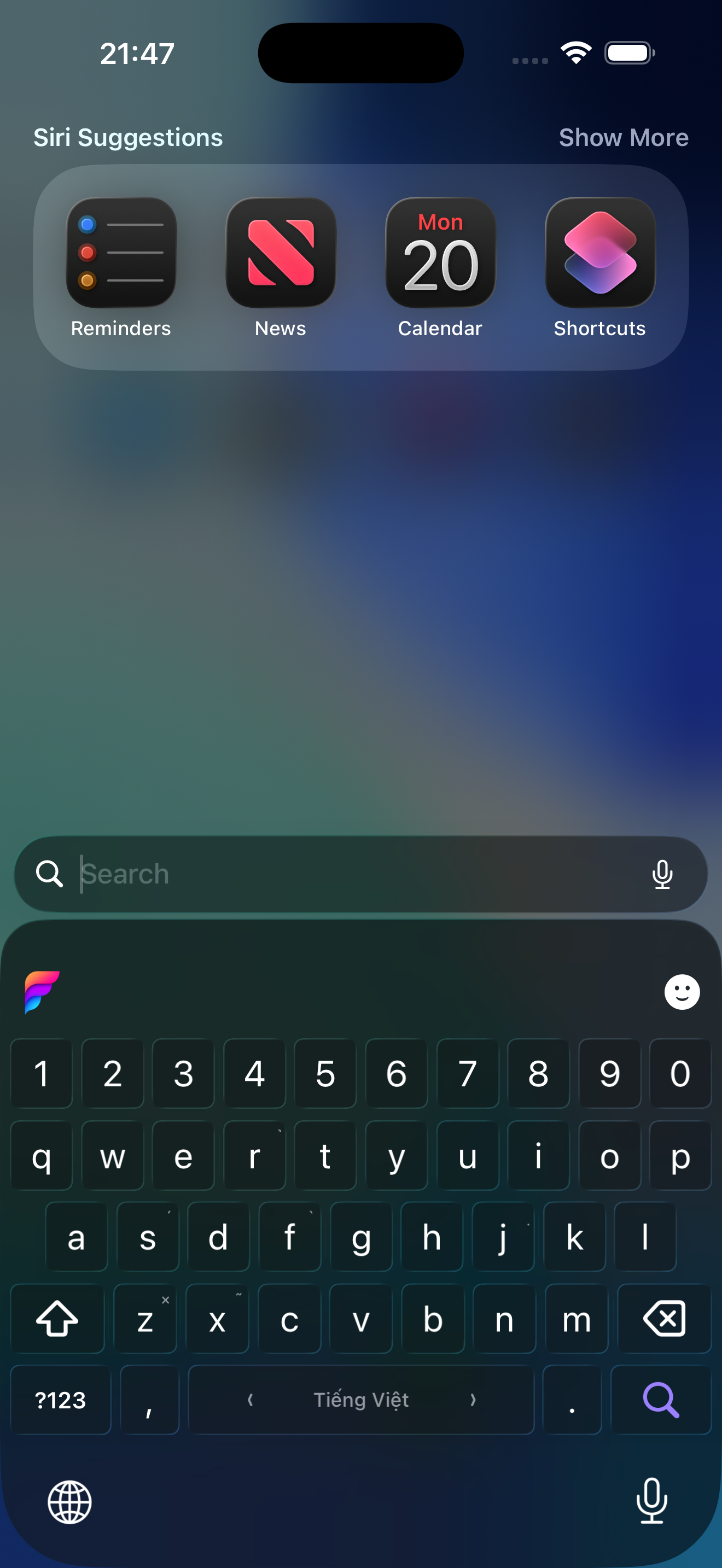
Funput in Telex mode with input hints on the relevant keys.
Switch between Vietnamese and English
In a standard text field, swipe horizontally across the space bar to switch between Tiếng Việt and English. English mode allows names, addresses, and English text to be entered without VNI or Telex transformations.
Tone placement style
Under Funput → Settings → Keyboard → Tone placement, the user can select:
- Traditional: the mark sits on the first vowel —
hòa,khỏe,thúy. - Modern: the mark sits on the main vowel —
hoà,khoẻ,thuý.
New installs start on modern placement. An existing install keeps whichever style it is already on when it updates.
This setting only changes tone placement on the open glide-initial rhymes (oa, oe, uy). The VNI and Telex key mappings remain unchanged.
Quick App Review checklist
- Enable Funput and Allow Full Access using the iOS installation guide.
- Open Apple Notes and select Funput using the globe key.
- Test the default VNI method with
To6i ye6u tie61ng Vie65t.. - Confirm that the result is Tôi yêu tiếng Việt.
- Open Funput, change Input method to Telex, then return to Notes.
- Type
Tooi yeeu tieengs Vieetj.and confirm the same result. - Swipe horizontally on the space bar and confirm that the label changes between Tiếng Việt and English.
The core typing flow is fully available after keyboard setup and does not require credentials or external content.